




You’ve enabled no-code Auto Metrics, monitors, and even some business-specific custom SQL rules in Lightup — but how do you know what’s missing or what to fine-tune next?
That’s where Lightup Recommendations come in.
We’re excited to announce Lightup Recommendations, a new beta feature coming soon to Lightup that provides intelligent, actionable suggestions to optimize your Data Quality coverage. Think of it as your Data Quality advisor — always scanning your environment for missing checks, monitors, and other Data Quality best practices. Lightup automatically analyzes your configurations and usage, always learning and always recommending and automating the next best action to take.
What Are Lightup Recommendations?
Lightup Recommendations are intelligent suggestions for the next best action to take, designed to help data engineers and analysts automatically identify and resolve gaps in Data Quality coverage. Instead of manually auditing your datasets, Lightup sytematically surfaces the most relevant and helpful recommended actions to take — like creating monitors, enabling schemas, activating data profiles, adding missing metrics, or even fixing configurations for existing monitors.
Imagine this:
- You have a metric but no monitor on it? Lightup will recommend and create one for you.
- A column has data but no metric yet? Lightup will suggest a metric that makes sense and enable it.
- Got a noisy monitor, and not sure what to do? Lightup will suggest how to fix the configuration.
- Monitor missing issues? Lightup will provide recommendations for additional training or threshold setting adjustments.
- Haven’t configured your tables? Lightup will recommend what configuration to use based on the profiled data.
But it doesn’t stop there. Lightup will even prioritize Recommendations based on how you actually use your data. For example, if you frequently reference a table or column using custom SQL checks, Lightup recognizes its importance and bumps up Recommendations related to it. Simply filter and sort, then activate or ignore each one.
Simply put, Recommendations help ensure your Data Quality coverage in Lightup is fully optimized for your organization’s needs and desired results.
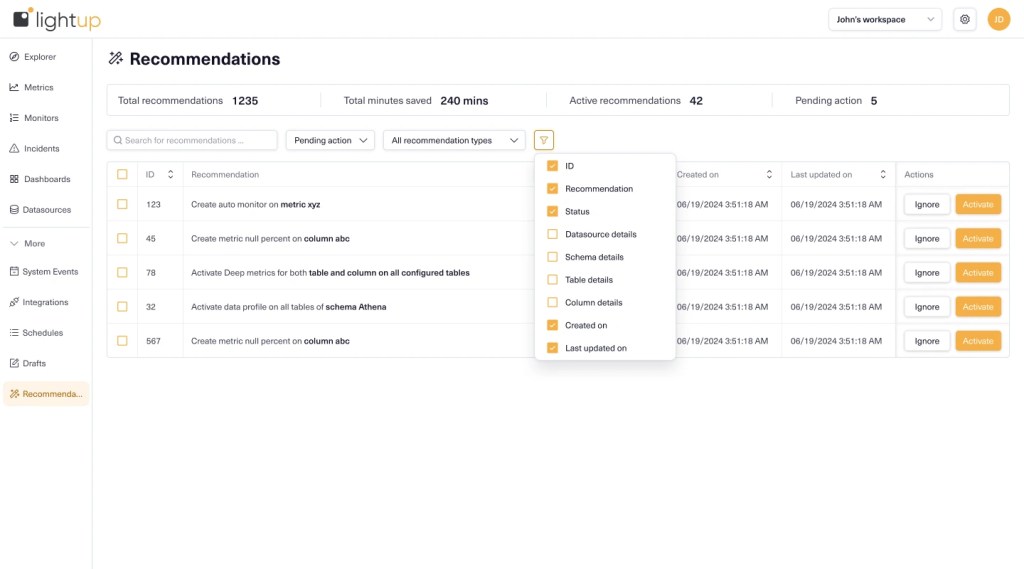
Why Recommendations Matter for Data Teams
Maintaining high Data Quality standards is critical for organizations relying on accurate reporting, real-time applications, and decision-making. But with growing datasets and complex pipelines, gaps in Data Quality can go unnoticed.
Lightup Recommendations help solve that by:
- Providing smart recommendations of what actions to take, using data usage patterns and existing configurations.
- Saving time by eliminating manual hunts for missing checks, monitors, or misconfigured settings.
- Boosting Data Observability by ensuring tables, columns, and metrics are properly covered.
- Automatically analyzing monitor performance, suggesting relevant actions to fine-tune results.
The best part? Each Recommendation is actionable with a single click. Activate it, Lightup applies the action for you. Or ignore it — Lightup won’t bug you again about it.
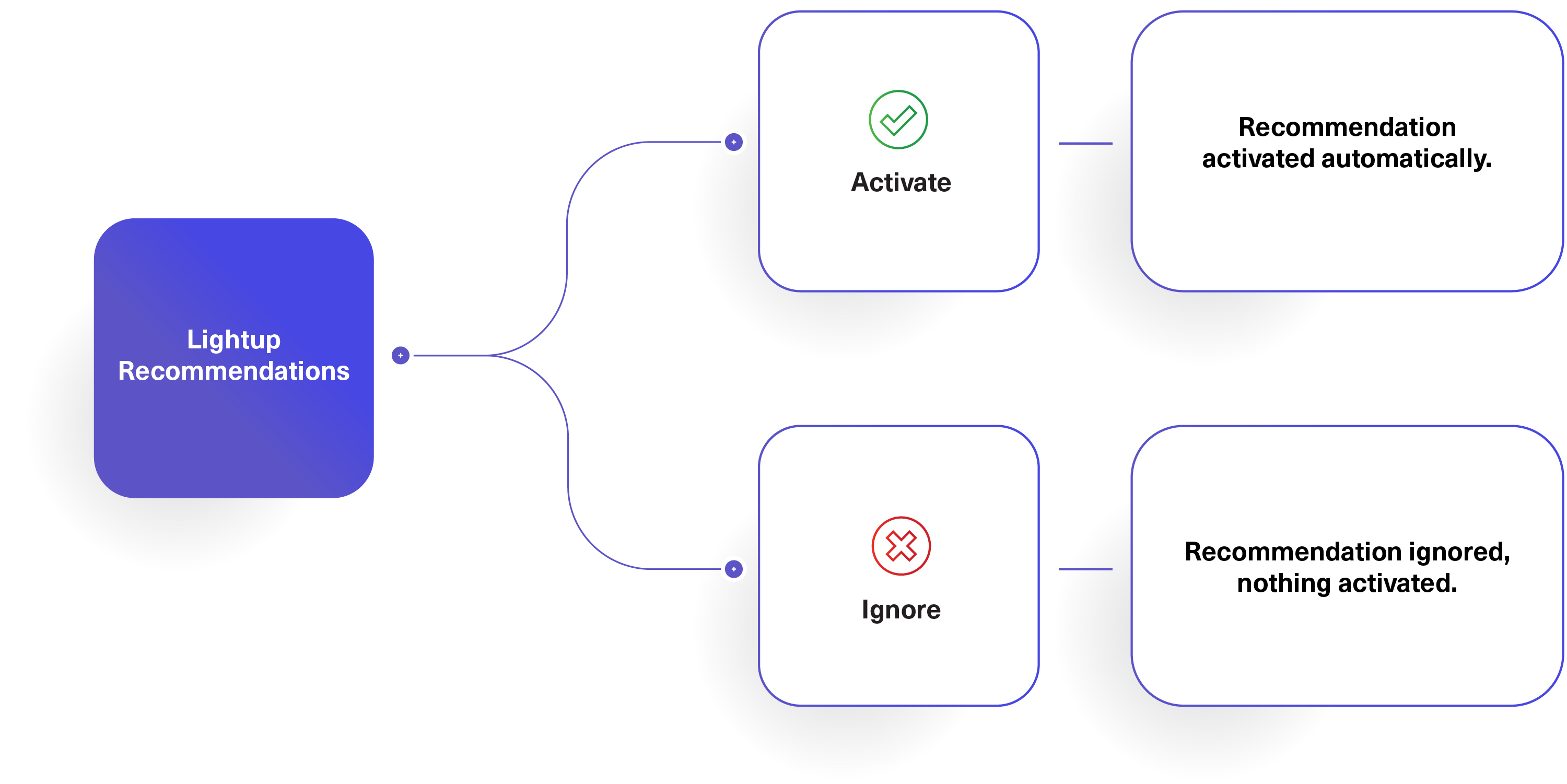
Bringing More Automation and Intelligence to Lightup
What makes Lightup’s Recommendations smart? Lightup uses intelligent analysis to prioritize recommendations based on how your team interacts with your data. For instance, if you’re using a table heavily but haven’t enabled Auto Metrics on it, Lightup will flag it as high priority.
This helps data teams:
- Eliminate the guesswork for which metrics, schemas, monitors, and profiles to activate next.
- Automate more tasks, enabling faster coverage in Lightup.
- Accelerate their Data Quality initiatives.
Simply put, Lightup Recommendations make it easy to see what’s missing across your environment, without manual audits or tedious task prioritization.
Get Early Beta Access
Lightup Recommendations is coming soon in beta preview by invitation only for early adopters to try out and help shape what’s next. We can’t wait to show you how much time (and guesswork) this feature will save your organization!
Join the waitlist to be among the first to test this feature in your Lightup workspace.
Stay tuned for more updates as we continue building new features to automate and scale tasks in Lightup.